 another
Your money, on your terms.
No bank logins. No account to create. No one mining your spending. another.money is a quiet, precise ledger that lives on your own device — every cent accounted for, every number yours alone.
Open the app → See how it works
Free during alpha · runs in your browser · nothing to install
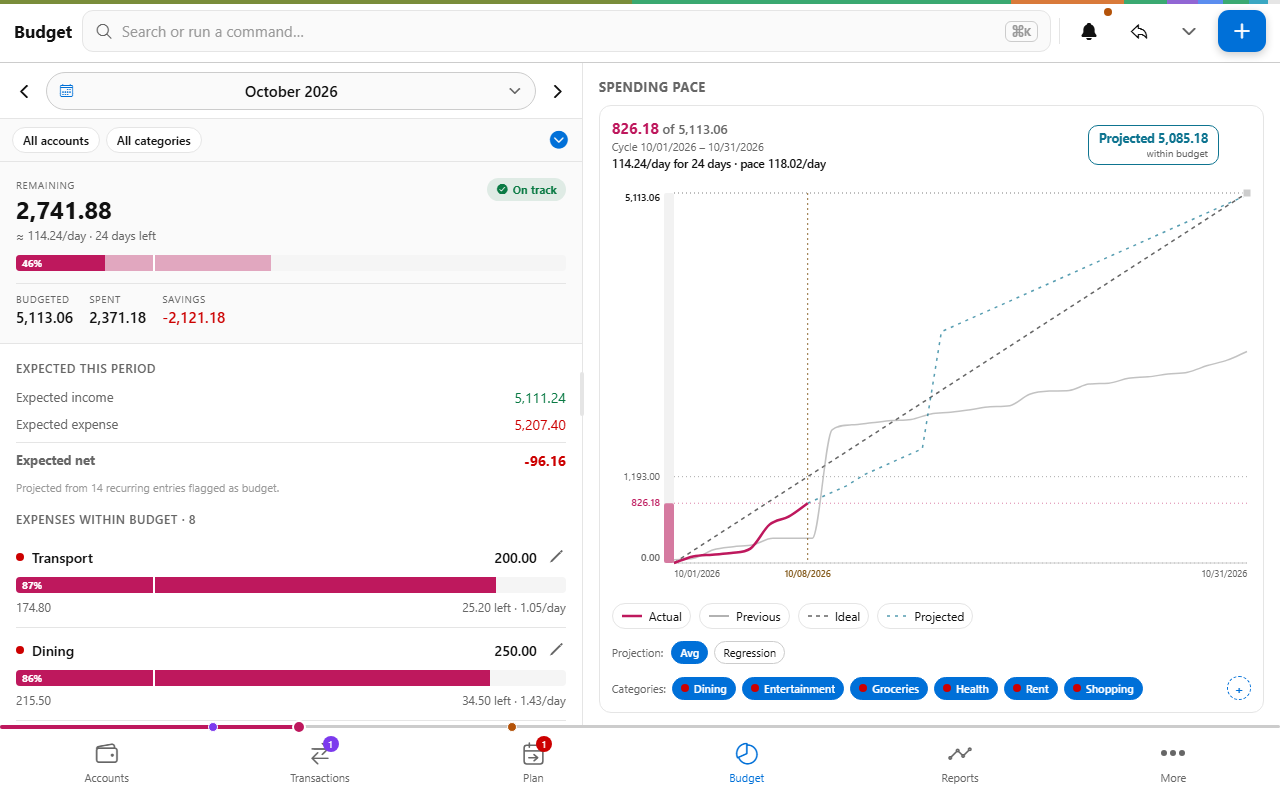
Made for people who care where every cent goes
Most money apps want your bank password and a subscription, then guess at your finances from a noisy feed. This one trusts you to know your own money — and gives you the precise, honest tools to keep it in order.
- 🏠 Lives on your device. Your book is one encrypted file on your phone or laptop. No account, no upload, no waiting on someone else's server — it opens instantly, even with no connection at all.
- 🔐 Secrets kept. Everything is locked with your password. Share a book across devices or with a partner if you like — end-to-end encrypted, so the sync relay only ever sees ciphertext. Never your numbers.
- 🎯 Every cent adds up. Balances are computed with integer math, never floating point. Multiple currencies convert at each transaction's own date. When it says you balance, you balance.
- 📒 A real ledger. Accounts, categories, payees, splits, transfers, reconciliation, recurring transactions, budgets, reports. The full craft of bookkeeping — not another "spending insights" toy.
- 🧳 Your history comes along. Import QIF, OFX, CSV, and MT940. Back up your whole book as a single file, or export everything as plain text. Your data never has an exit fee.
- 🤝 Built in the open. The help, the guides, and this very site live in a public repository anyone can improve. Found something confusing? Telling us makes the app better for everyone.
The day-to-day, done beautifully
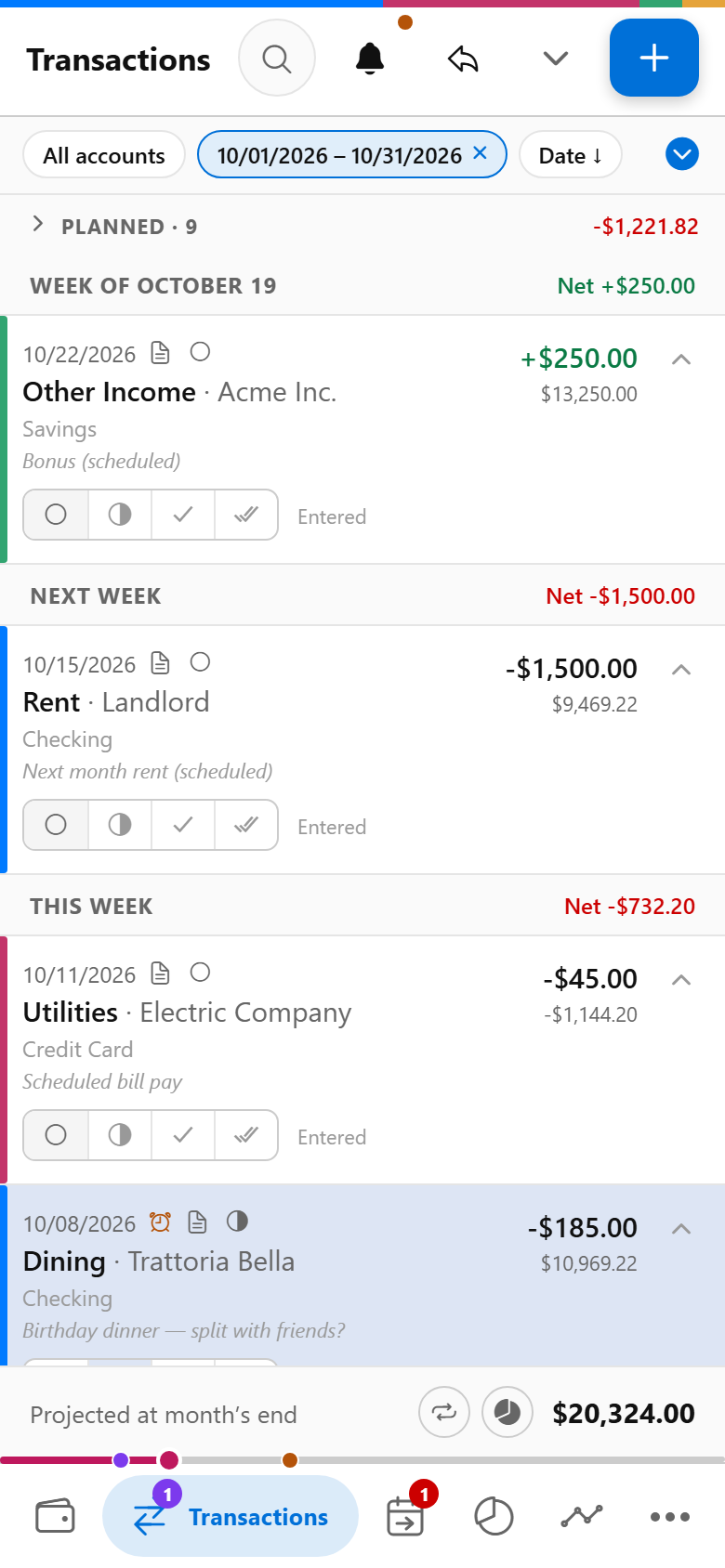
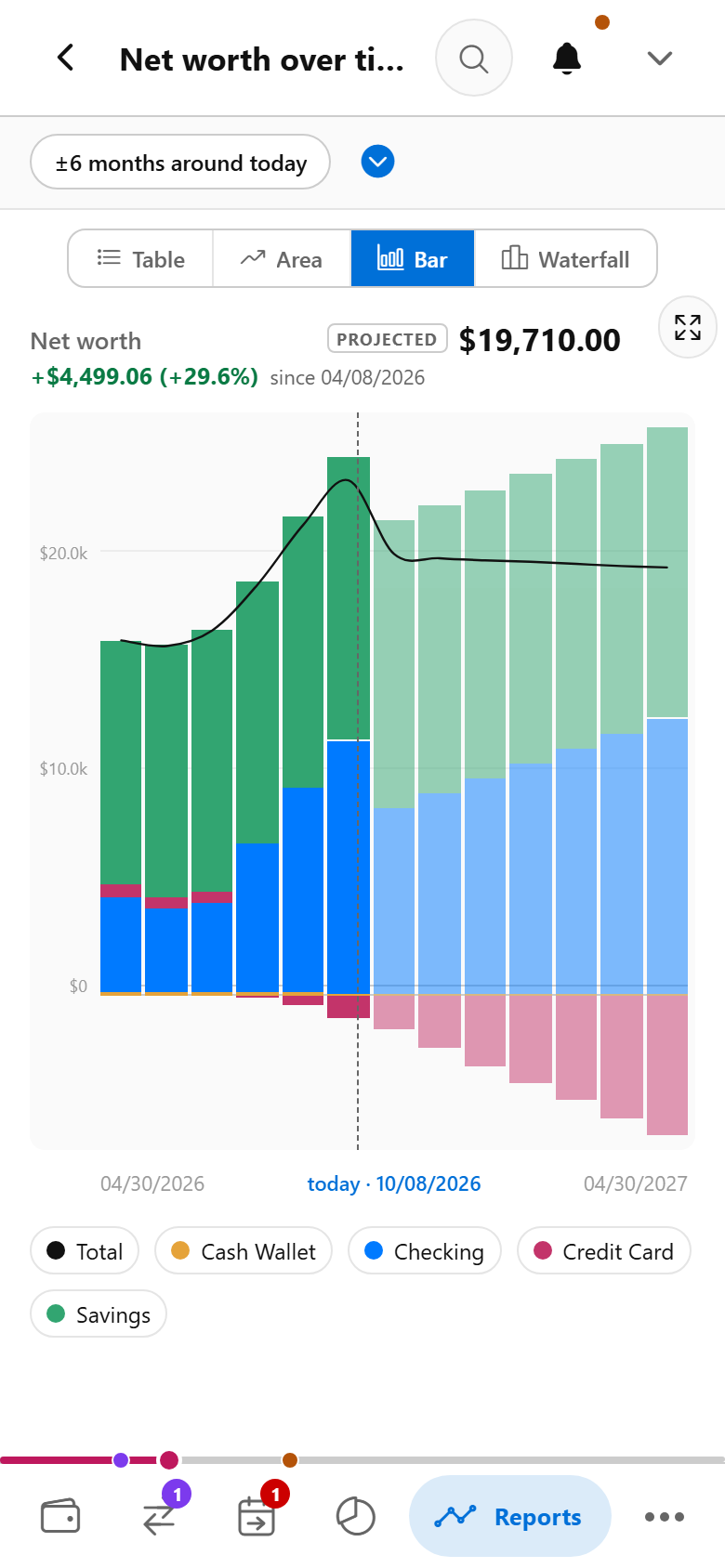
Enter a coffee in seconds, let recurring bills arrive on schedule — and watch the quiet result: your net worth, climbing.
Then step back for the whole picture
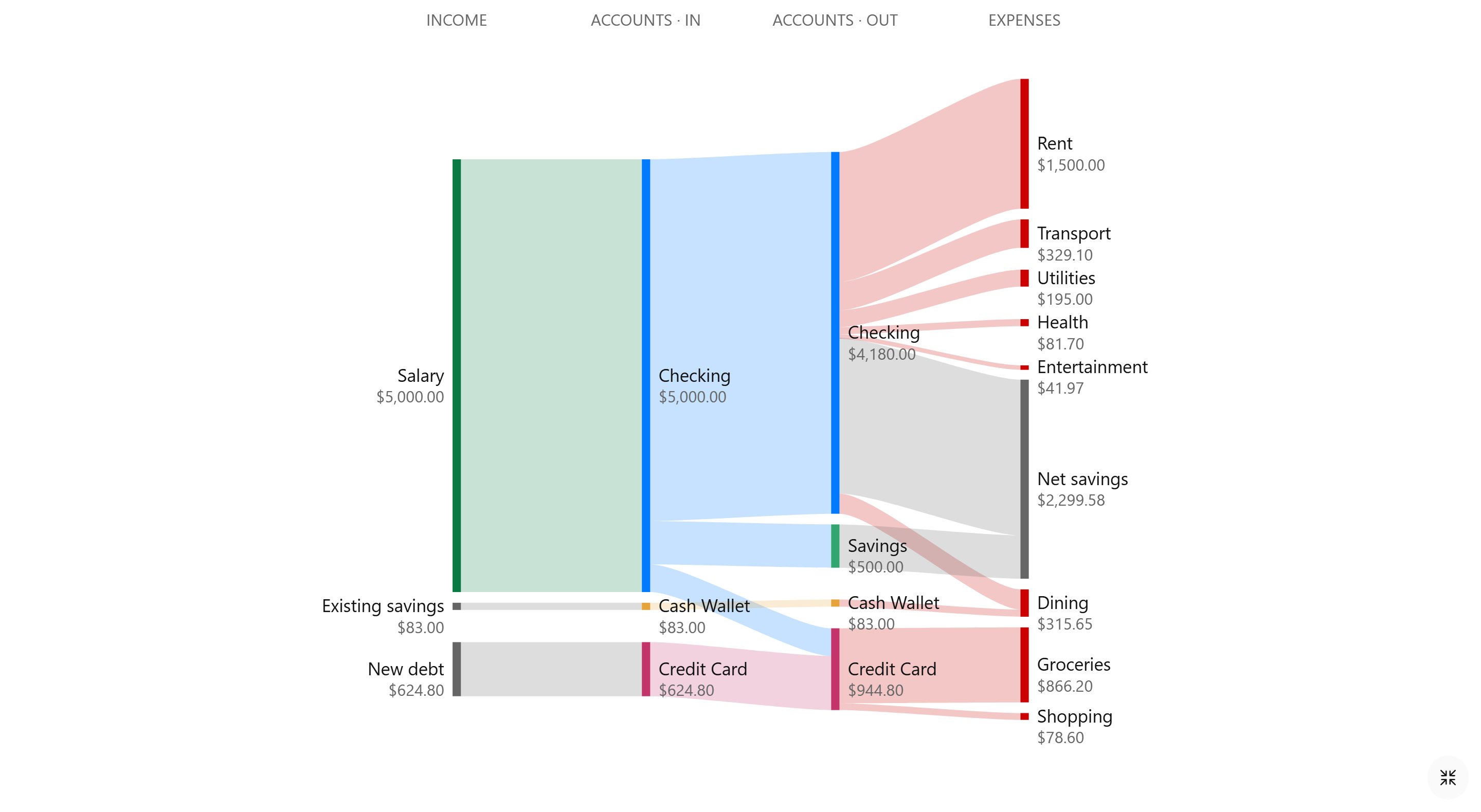
A month of money in a single image — everything that came in, where it flowed, and what stayed with you.
Switching is the easy part
Years of history shouldn't chain you to an app that no longer serves you. another.money reads the files other money apps and banks already let you export — QIF, OFX, MT940 and CAMT.053 statements, and CSV with ready-made column mappings for several popular budgeting apps — and it restores backups from the original 2014 anMoney Android app directly. Bring everything; nothing starts from zero.
Your app's format not on the list? Open a ticket with a small sample export and we'll look at adding it.
⚠️ An honest word about alpha. We're still shaping the app, and the underlying data model can change between updates — a change like that may require resetting your book, wiping everything in it. Don't keep anything you can't afford to lose here yet, and export a backup often — one file, stored wherever you like. During alpha we can't promise every backup restores cleanly across a breaking change — we'd rather tell you that up front than pretend otherwise.
Ready when you are
Your first book takes under a minute. No sign-up, no card, no feed to connect — just you and your numbers.
And don't take "local" on faith. Open the app on your phone or laptop, let it load — then switch off Wi‑Fi and try it. Add a transaction, check a report: nothing changes, because nothing ever depended on the network in the first place.